Best VPN for Privacy & Streaming: Is It Safe in 2026
Imagine you’re at a café in Karachi, using public Wi‑Fi to watch your favourite show. Suddenly you worry — could someone snoop on your browsing? Or maybe you just want to watch a drama on a foreign streaming site that’s geo‑blocked. That’s where a VPN seems like a magic tool. But before you click “connect,” you ask: is using the Best VPN for privacy/streaming — is it safe?
In this article, I’ll walk you through exactly how a VPN works, when it truly helps, and what risks still linger. I’ve tested VPNs myself, dug into recent audits, read expert reviews, and I’ll share what real users need to know in 2026 — not just marketing hype.
Why People Use a VPN — And What a VPN Actually Does
🛡️ What a VPN Does for You
A virtual private network (VPN) hides your IP address and encrypts your internet traffic. This means:
- Your real location becomes blocked — the website sees the VPN server’s IP instead.
- All data sent from your device goes through an encrypted tunnel — even on public Wi‑Fi, where hackers might lurk.
- Your Internet Service Provider (ISP) or local network operator can’t easily monitor which websites you visit or for how long.
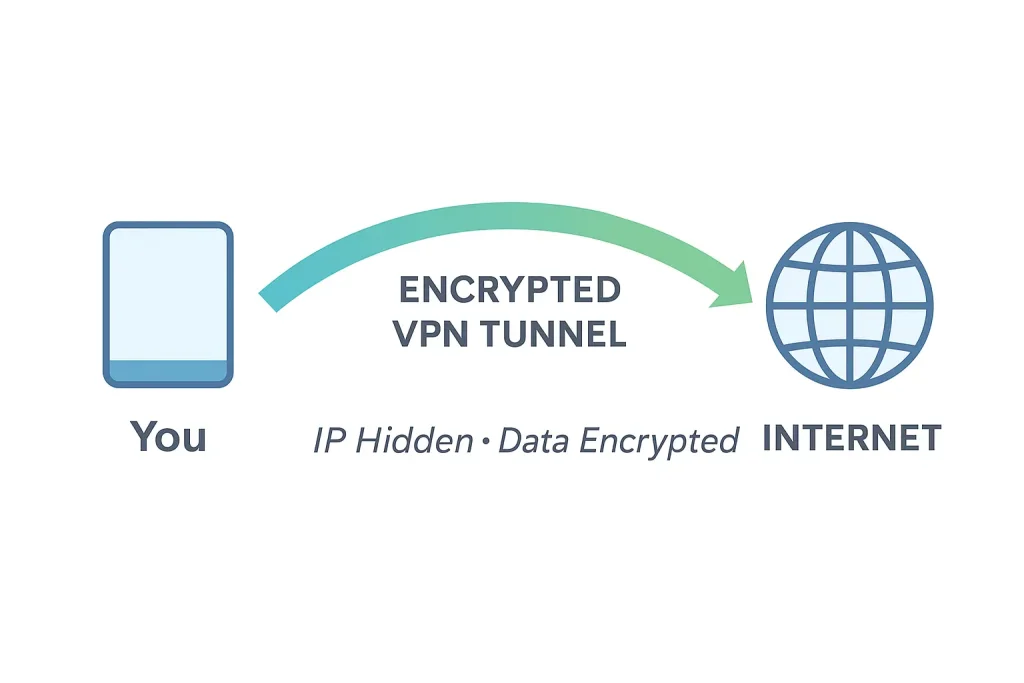
In short: A trustworthy VPN replaces many of the trust factors — from your ISP to your Wi‑Fi provider — with a VPN provider that promises (and ideally proves) privacy.
Why Privacy & Streaming Often Go Together
Many people use a VPN to watch geo-restricted content (such as shows on Netflix, Disney+, or region‑locked websites). Others use a VPN to keep their browsing private — especially if they travel, use public Wi-Fi, or simply dislike being tracked. Both use cases rely on the same core VPN benefits: IP masking and encryption.
But using a VPN for streaming isn’t magic — it comes with extra considerations. Let’s explore them.
Good VPNs for Privacy: What to Look For in 2026
Not all VPNs are created equal. Here’s how to spot one that actually respects your privacy, and works well for streaming too. You can use one of the best Tegh vpn.
✅ Key Features That Matter
- No‑logs policy — Ideally one that’s been independently audited. Without logs, there’s nothing to trace back to you.
- Strong encryption & modern protocols — Look for WireGuard, NordLynx, or well‑configured OpenVPN. AES‑256 or ChaCha20 encryption helps keep data secure.
- RAM‑only servers (if possible) — Servers that wipe data on reboot reduce the risk of leaks. Many audited VPN services now use this setup.
- Kill‑switch & DNS leak protection — Prevents your real IP from leaking if the VPN connection drops.
- Speed & server availability — For streaming you need fast, stable connections. Servers in multiple countries help you bypass geo‑blocks.
🔎 What to Avoid (Especially in 2025)
- Free or shady VPN apps — Many are actually data collectors, ad injectors, or even malware.
- VPNs with unclear or unverifiable logging policies — If there’s no independent audit or transparency report, you’re relying on a marketing claim.
- Old protocols or misconfigured VPN clients — These can leak data, or be vulnerable to DNS leaks, WebRTC leaks, or fingerprinting.
- Assuming VPN = total anonymity — It doesn’t hide browser fingerprinting, cookies, account logins, or metadata precisely.
Are VPNs Safe in 2026 — The Reality Check
🟢 What VPNs Can Actually Protect You From
- Public Wi‑Fi threats: Hackers on open networks, packet sniffing, fake hotspots.
- ISP snooping: ISPs often log browsing data; a VPN makes that harder.
- Location‑based restrictions, geo‑blocking: Want to watch a show only available abroad? A VPN server in that country can help.
- Basic privacy from casual tracking: Ads, trackers, websites trying to build a profile on you — hidden behind the VPN’s IP.
🔴 What VPNs DON’T or CAN’T Solve
| Limitations | Why They Matter |
|---|---|
| VPN provider still sees your traffic | If the provider logs data — or gets legally forced to comply — your privacy can be compromised. |
| Browser fingerprinting, cookies, account logins | Even with VPN, if you’re logged into Google/FB, your activity can still be tracked. |
| Malware, phishing, downloaded files | A VPN doesn’t prevent malware — you still need antivirus tools. |
| VPN detection by streaming platforms or governments | Some protocols (like OpenVPN) can be fingerprinted and blocked. |
| Slow speed or buffering | Encryption adds overhead, and distant servers may reduce performance. |
In 2025, savvy users treat VPNs as one layer in a layered privacy strategy — not a silver bullet. Use it along with strong passwords, privacy‑conscious browsing, and safe security habits.
Trusted VPN Providers – Examples & What They Offer Now
Here are a few VPN providers (as of 2025–2026) that have strong privacy reputations — and what sets them apart.
| VPN Provider | What We Know (Audit / Features) | Pros & Cons |
|---|---|---|
| Norton VPN | In 2025, undergone an independent privacy audit confirming a no‑logs policy and strict metadata deletion. | ✅ Verified no‑logs, strong infrastructure. Might be pricier than budget VPNs. |
| Proton VPN | Successfully passed a fourth consecutive independent no-logs audit (2026) plus SOC2 Type II compliance. | ✅ Highly transparent, no-logs, open-source clients. Free tier available (with limitations). |
| Surfshark / NordVPN (tied together in reviews) | Frequently listed among top picks for 2025 — strong encryption, multiple server locations, streaming support. | ✅ Balanced privacy, speed, value. ✅ Good for streaming. ⚠️ Still rely on trusting a provider’s no‑logs claim. |
Real user note: On a Reddit thread, one user wrote after trying several free VPNs:
“Some free VPNs were barely usable, especially during busy hours… A few of them had unclear privacy policies… I later found out that some free VPNs actually log your activity or sell your data.” Reddit
That matches what independent reviewers warn — free often means trade‑offs on privacy or performance.
How to Use a VPN Safely (5-step Checklist)
- Pick a VPN with verified no‑logs audit and RAM‑only servers.
- Use secure protocols (WireGuard, NordLynx, OpenVPN with obfuscation) and enable DNS leak protection.
- Enable kill‑switch — so if VPN drops, your real IP doesn’t leak.
- Don’t rely on VPN for everything — pair with strong passwords, avoid suspicious downloads, and consider antivirus or malware protection.
- Test your setup: Use IP leak tools, check DNS leak tests, and manually verify your streaming service works before committing.
When a VPN Might Not Be Enough — Extra Hardening Tips
If you want stronger privacy than a VPN alone can give:
- Use browser tools like private/incognito browsing + tracker‑blocking extensions.
- Clear cookies and local storage often.
- Combine VPN with encrypted DNS (like Cloudflare) or use secure DNS resolvers.
- Consider using a self‑hosted VPN server (on a cloud or VPS) — that way, only you control the server, not a third‑party provider.
FAQ
Q1: Is it legal to use a VPN for streaming and privacy?
Yes — in most countries VPNs are legal tools. It becomes risky only if you use them to access illegal content or violate terms of service.
Q2: Can a VPN make me totally anonymous online?
No. A good VPN hides your IP and encrypts traffic — but browser fingerprinting, cookies, metadata, and account logins can still reveal your identity.
Q3: Are free VPNs dangerous?
Often yes. Many free VPNs log data, sell bandwidth, show ads, or even contain malware. Free doesn’t guarantee privacy.
Q4: Does using a VPN slow down my streaming?
Sometimes. Encryption and server distance can reduce speed. High‑quality VPNs minimize lag, but you may still notice slight buffering or slower load times.
Q5: Can streaming services detect and block VPNs?
Yes. Many streaming platforms use VPN‑detection systems. Some VPN protocols are more easily flagged. Obfuscated protocols or newer standards (WireGuard) usually fare better.
Q6: Does a VPN protect me from malware or phishing?
No. A VPN encrypts data in transit, but it does not block malicious downloads, phishing links, or malicious software. You still need antivirus and safe browsing habits.
Conclusion — Should You Use a VPN in 2026?
Using the Best VPN for privacy and streaming — is it safe? Yes, but with conditions. A well‑reviewed, independently audited VPN can significantly improve your privacy and allow streaming from anywhere — especially on public Wi‑Fi or when traveling. However, it’s not a magic shield. You still need good browsing hygiene, antivirus protection, and awareness of what VPNs can — and can’t — do.
If you care about privacy, choose a trusted VPN (like Norton VPN or Proton VPN), enable all security features, and treat VPN as one tool among many. If you only use sketchy free apps, you may actually end up worse off.